
| Important: To have a video embed directly into your post like the example above, it must be from YouTube. If you’re sharing a TED Talk, make sure to find the YouTube version, not the one hosted on the TED website. Only YouTube links will automatically embed in WordPress. |
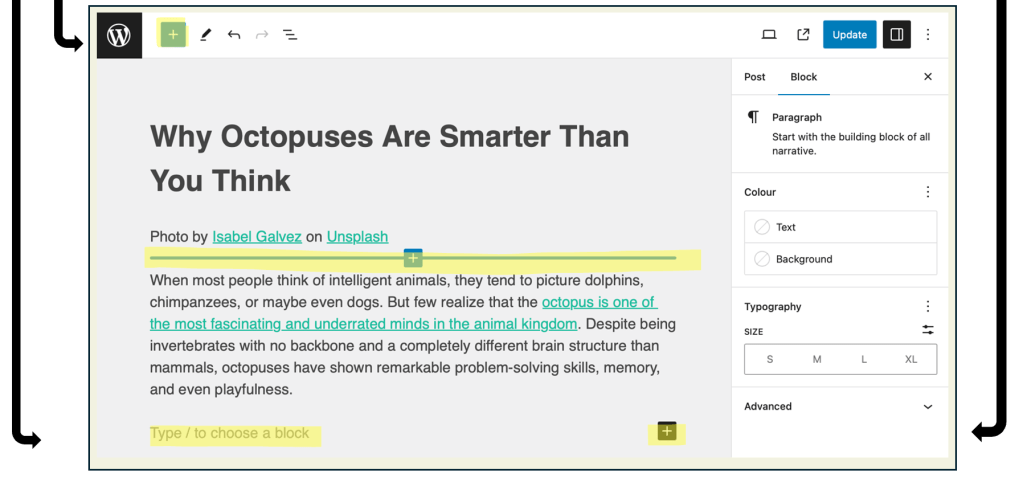
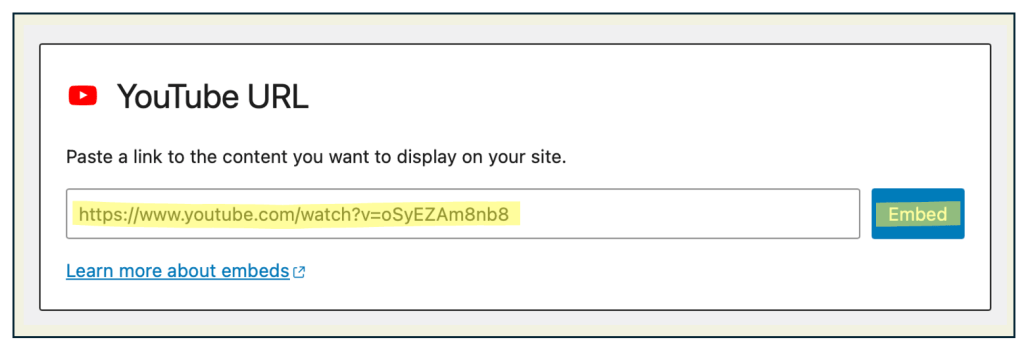
- To add a video, click the plus sign (+) or type /youtube (or /video) on a new line, then paste the URL of the video you want to embed.


| Tip: Simply adding a video or podcast isn’t enough. If you include media, you must explain how it connects to your topic, what you gained from it, and how it supports the ideas in your post. This shows thoughtful integration and strengthens your writing. |
| Task: Include a video in your blog post that supports your topic. After embedding it, write a brief explanation of how it connects to your post and what insight or understanding it adds to your ideas. |
 Digital Literacy Tutorials