
- To add a table to your blog post, click the plus sign (+) and select Table, or type /table on a new line. Choose how many rows and columns you need. You can also adjust the table size later if you decide to add or remove cells.
| Important: Tables are a great way to organize information and help readers compare details quickly. They make information more clear and easier to read. |

- To edit the table, click the Table button in the toolbar. Options for editing your table will then appear in a dropdown menu.
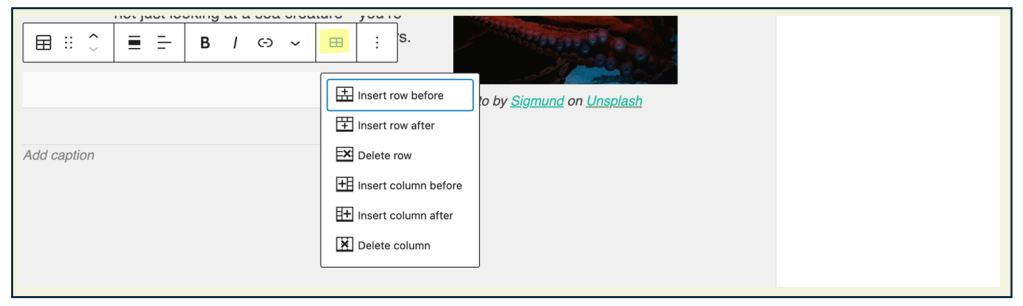
| Task: Practice editing your table. Click the Table button in the toolbar and explore the dropdown menu to add or delete rows or columns, adjust the table size, or change the table’s style. Make at least one edit to your sample table and preview how it looks in your blog post. |
 Digital Literacy Tutorials