
- To add headers to your blog post, click the plus sign (+) or type /heading on a new line.
| Important: Headers break your post into clear, organized sections, making it easier for readers to follow your ideas. They also improve accessibility by helping screen readers and other assistive technologies navigate your content more effectively. |
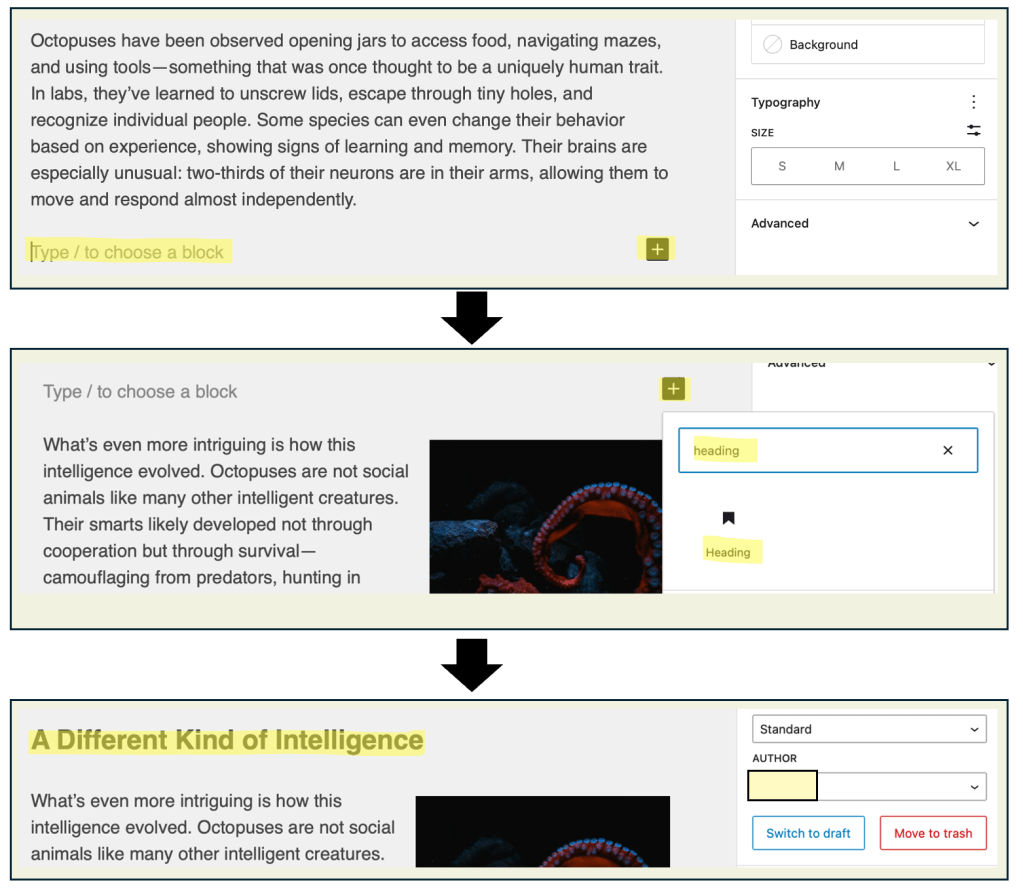
| Tip: You can also highlight the text you want to turn into a header, then click the “Paragraph” dropdown in the formatting toolbar and select Heading from the list of options. |

| Tip: You can also highlight the text you want to turn into a header, then click the “Paragraph” dropdown in the formatting toolbar and select Heading from the list of options. |
 Digital Literacy Tutorials